COUNTERTOP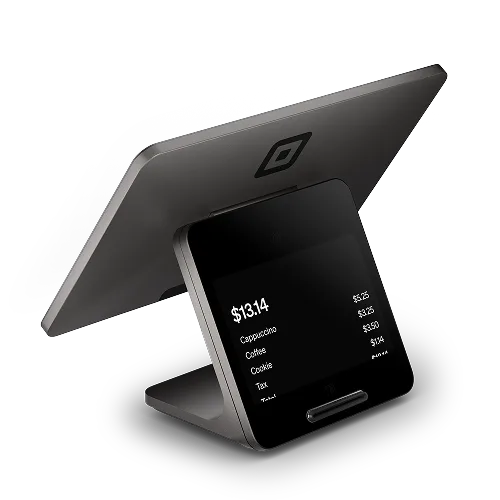
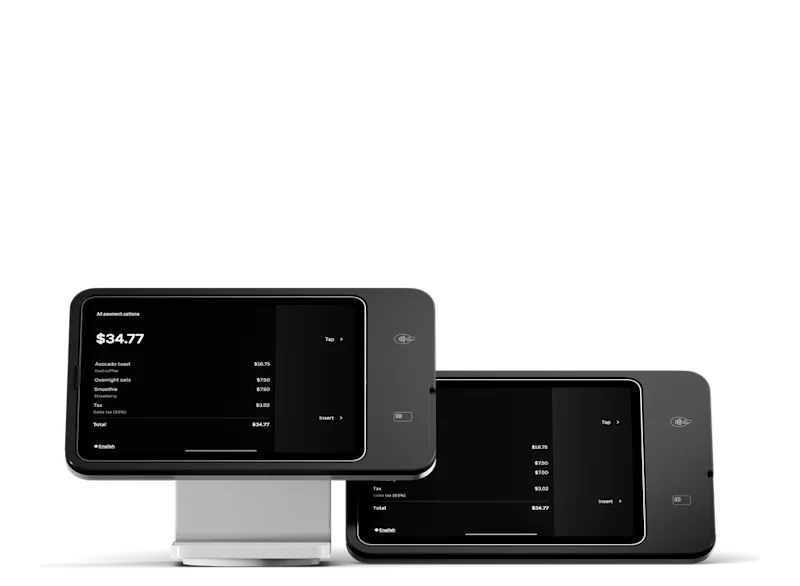
Square Register
A dedicated checkout for your counter.
Seller and customer displays in one purpose-built POS setup.
- CONSIDER FOR
- Shops and staffed service counters
- PLAN AROUND
- Standalone POS hardware
THE RIGHT TOOLS. YOUR WAY TO WORK.
From a reader in your pocket to a dedicated checkout. Get to know Square hardware, explore the software, and talk through the pieces with Angler.
Independent Square Reseller · Through OrderOut’s reseller program.
YOUR COUNTER. YOUR NEXT CHAPTER.01 / GET TO KNOW THE HARDWARE
Compare six options by the way you work. These are Square product photos; displayed interfaces and available configurations may vary.
A QUICK STARTING POINT
Choose a workflow to see equipment worth discussing.
Consider Register for a dedicated checkout, or Terminal when built-in receipt printing and a smaller footprint matter.
See the suggested equipment ↓A dedicated checkout for your counter.
Seller and customer displays in one purpose-built POS setup.
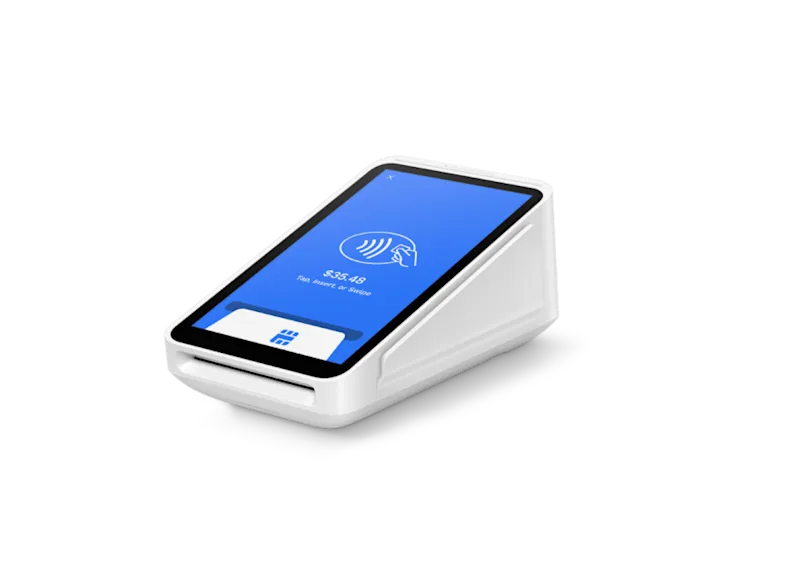
A compact way to take payments.
Accept card payments and print receipts from one portable device.
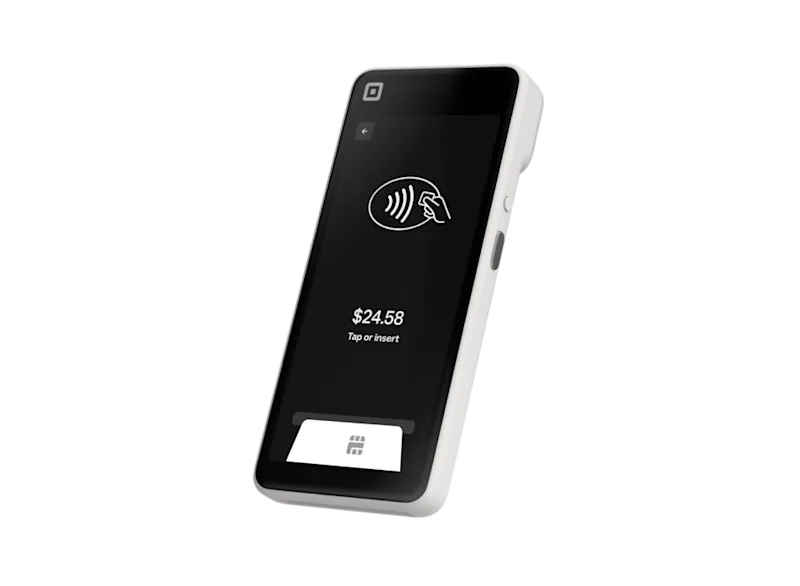
Take the POS to the customer.
A portable POS with a built-in barcode scanner for order-taking and selling away from a fixed counter.
Put a compatible iPad to work.
A countertop stand with integrated payments that turns a compatible iPad into a POS.
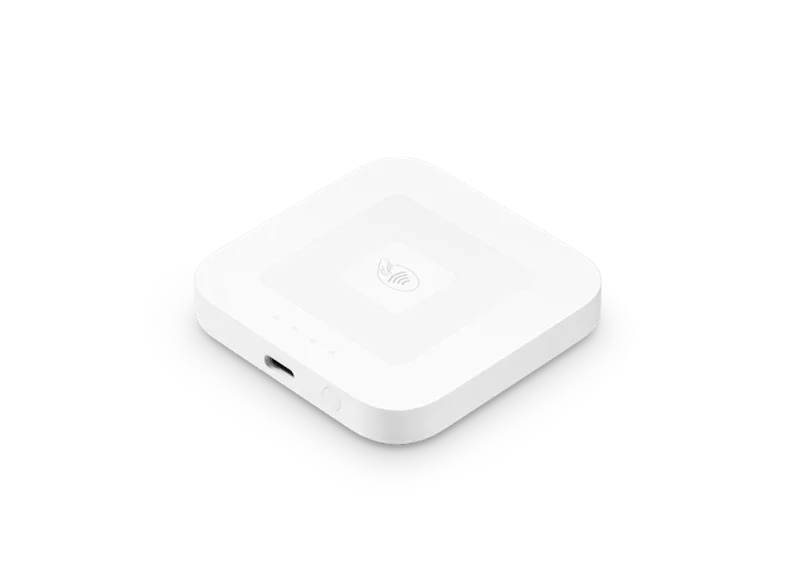
Keep the payment setup small.
Accept contactless and chip cards using a compatible phone or tablet with the Square app.
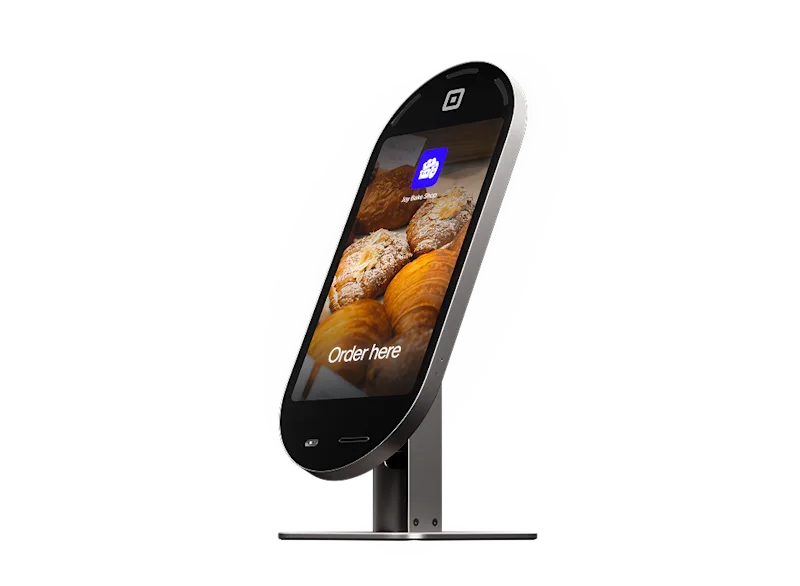
Let guests place their own order.
A dedicated self-ordering screen with integrated payments for food and beverage businesses.
Images: Square. Hardware, accessories, plans, and availability are set by Square. Product details checked October 29, 2026. Review current Square hardware details ↗
BEYOND THE DEVICE
The right software depends on your day-to-day work. Hardware alone doesn’t include every Square feature or subscription.
Explore variants, inventory, returns, and connected in-store and online selling.
Explore the retail guide ↗02 / RESTAURANTSExplore menus, modifiers, kitchen displays, table service, and online ordering.
Explore the restaurant guide ↗03 / SERVICESExplore appointments, client reminders, estimates, deposits, and digital invoices.
Explore the services guide ↗WHEN YOU’RE READY FOR MORE
Explore a points-based rewards program connected to your Square sales.
Square Loyalty details ↗Explore physical and digital gift cards for in-person and online gifting.
Square Gift Cards details ↗Subscriptions, eligibility, processing fees, gift-card fees, hardware compatibility, and other terms vary. Confirm the features and total costs of your selected setup before enrolling.
WHY START WITH ANGLER?
A checkout is one part of the picture. We help you explore a Square setup around the way you sell, serve customers, and get paid.
Tell us where you work, how customers pay, and what your current system is missing. We’ll help you identify options to explore.
Discuss hardware, software needs, and the enrollment programs shown on this site before you apply.
Send your questions to admin@anglerpayments.com or use our consultation form. Your Square account is your own; ongoing product support comes from Square Support.
FROM EXPLORING TO ENROLLING
Start with a conversation or go straight to your preferred program. Here’s the path through Angler’s OrderOut onboarding.
Review how you take orders, manage stock or bookings, and collect payments. List the features you need.
Open the rack-rate or 4% program link below. Review its current terms, costs, and eligibility.
Submit the requested business details through OrderOut’s secure onboarding. Your Square account is set up through the program; complete any verification Square requests.
Confirm your plan, compatible equipment, catalog or menu, and payout settings before your first live sale.
Your business details, existing equipment, number of locations, and a list of must-have tools. Enter identity and bank details only when requested in the secure onboarding or Square account flow.
A FEW THINGS TO KNOW
Yes. Enrolling through Angler’s OrderOut program sets up your own Square account. Angler Payments is an independent reseller through OrderOut; ongoing product support comes from Square Support.
No. Features depend on your Square subscription and hardware. Add-ons and compatible accessories may cost extra. Discuss the full setup before choosing equipment.
No. Tell us about your business and what you want to improve. The selector and hardware cards are starting points for the conversation.
Use the rack-rate or 4% program links below to review current onboarding information. Confirm processing costs, software subscriptions, hardware costs, and program requirements before you commit.
YOUR NEXT STEP
Choose the program you want to explore. Both links open Angler Payments’ merchant onboarding on OrderOut.
Not sure which option fits? Talk with Angler Payments first ↗
LET’S FIND YOUR FLOW
Tell us a little about what you’re building. We’ll help you explore a Square setup that makes sense for you.
Prefer email? Get in touch ↗